In most content teams, finding the right post quickly is one of those tasks that sounds simple but becomes slow when your content library grows.
In this tutorial, we will walk through how to build a WordPress admin copilot that can search your indexed content with natural language, return results in real time, and handle follow-up requests like “show more” and “summarize the first result.”
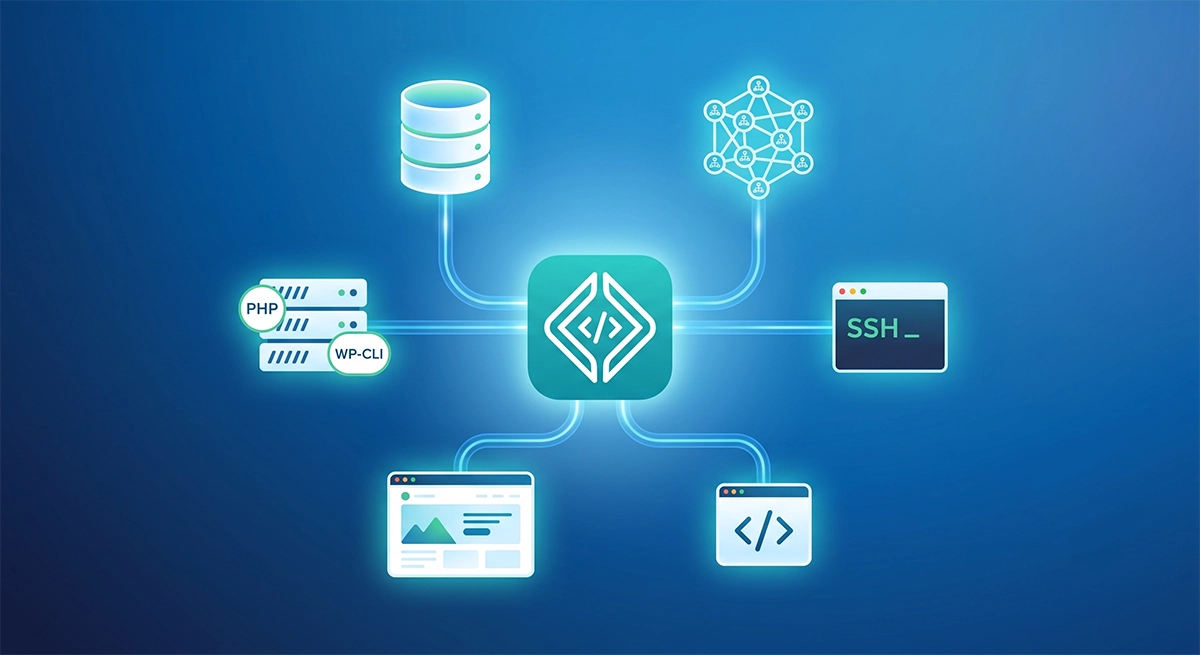
We will use a Next.js API backend as the coordinator, OpenAI for reasoning and tool orchestration, and WP Engine Smart Search AI MCP for deterministic search and retrieval. We will cover these points:
– Secure API setup for WordPress admin requests
– Smart Search AI MCP client integration
– OpenAI tool calling flow
– Streaming response events for chat UX
– Follow-up behaviors like pagination and result summarization
Just a Note: This article focuses on the API/backend side of the copilot workflow. The frontend admin UI can be implemented with the plugin I made for this article. You can also create your own.
Table of Contents
Prerequisites
To benefit from this article, you should be familiar with WordPress development, Next.js API routes, and basic environment variable setup.
You will need:
– A WordPress install on WP Engine
– Smart Search AI license enabled for that environment
– An OpenAI API key
Steps for setting up
- Set up a WordPress environment on WP Engine.
- Add a Smart Search AI license to your environment. (You can refer to the support article here if you need to know how to do so)
- In your WP Engine user portal navigate to Products > Smart Search AI. Once you click on Smart Search AI, it will take you to a page that lists all your WP installs with Smart Search AI activated. You will see an ellipsis to the right. Click on that. This will show your MCP endpoint and credentials.

Copy the MCP endpoint and its token.
4. In Smart Search configuration, select Hybrid mode, to incorporate both keyword and semantic search structures:

Then and add semantic fields such as:
- `post_title`
- `post_content`
- `post_excerpt`
Code language: JavaScript (javascript)

5. Go to Index data and click Index now, and wait. Wait for indexing to complete before testing.

If you want to, you can build your own plugin instead of using the one in this repo. To work with this backend, your plugin must:
Technical integration requirements
- send
`POST`requests to`/api/chat` - include the
`x-wp-admin-copilot-token`header - run from the same origin configured in
`WP_ADMIN_ORIGIN` - send JSON shaped like
`{ message, history, state }` - handle SSE events:
`status`, `delta`, `done`, and `error`
6. Next we need to create a Next.js app. You can find the docs on how to get one set up here. Once you have created your Next.js app, we will need to configure our environment variables.
Create `.env.local` at your project root and add these key/value pairs:
```bash
OPENAI_API_KEY="sk-proj-..."
OPENAI_MODEL="gpt-4.1-mini"
SMART_SEARCH_MCP_URL="https://your-site-atlassearch-xxxxx-uc.a.run.app/mcp"
SMART_SEARCH_MCP_TOKEN="your-mcp-token"
WP_ADMIN_COPILOT_TOKEN="<generate-with-openssl-rand-hex-32>"
WP_ADMIN_ORIGIN="https://your-wordpress-site.com"
Code language: PHP (php)
Generate the shared token:
```bash
openssl rand -hex 32
```
Code language: JavaScript (javascript)
Fill them in with your true values.
The Next.js Backend
Now that we have everything set up, let’s add the code we need and the files necessary to make this demo work.
The `lib/mcp.ts` file
Let’s start by building the foundational piece that handles communication with the Smart Search MCP server.
Go to the root of your Next.js project and add a folder called /lib with a file called `mcp.ts`.
Here is the complete code content that you will need to copy and paste into your file:
// JSON-RPC success payload type
export type JsonRpcSuccess = {
jsonrpc: "2.0";
id?: string | number;
result?: unknown;
};
// JSON-RPC error payload type
export type JsonRpcError = {
jsonrpc: "2.0";
id?: string | number;
error: {
code: number;
message: string;
data?: unknown;
};
};
// Tool argument type for search
export type SearchArgs = {
query: string;
filter?: string;
limit?: number;
offset?: number;
};
// Tool argument type for fetch
export type FetchArgs = {
id: string;
};
// Flexible SearchResultItem shape (MCP result payloads can vary)
export type SearchResultItem = {
id?: string;
title?: string;
url?: string;
snippet?: string;
[key: string]: unknown;
};
// parseJsonRpcResponse - validates response shape and centralizes protocol-level error handling
function parseJsonRpcResponse(payload: unknown): JsonRpcSuccess {
if (!payload || typeof payload !== "object") {
throw new Error("Invalid JSON-RPC response payload.");
}
const maybeError = payload as JsonRpcError;
if (maybeError.error) {
throw new Error(
`MCP error ${maybeError.error.code}: ${maybeError.error.message}`,
);
}
return payload as JsonRpcSuccess;
}
// extractResultsFromMcpResult - defensive parser handling multiple response formats (arrays, nested objects, JSON strings)
function extractResultsFromMcpResult(result: unknown): SearchResultItem[] {
const asItems = (value: unknown): SearchResultItem[] | undefined => {
if (!Array.isArray(value)) {
return undefined;
}
const objectItems = value.filter(
(item) => item && typeof item === "object",
) as SearchResultItem[];
return objectItems.length > 0 ? objectItems : undefined;
};
const parseMaybeJsonString = (value: unknown): unknown => {
if (typeof value !== "string") {
return value;
}
const trimmed = value.trim();
if (!trimmed.startsWith("{") && !trimmed.startsWith("[")) {
return value;
}
try {
return JSON.parse(trimmed);
} catch {
return value;
}
};
const tryExtractFromObject = (obj: Record<string, unknown>): SearchResultItem[] => {
const directCandidates = [
obj.results,
obj.items,
obj.hits,
obj.documents,
obj.data,
obj.rows,
];
for (const candidate of directCandidates) {
const asList = asItems(candidate);
if (asList) {
return asList;
}
}
return [];
};
if (!result) {
return [];
}
const parsedTop = parseMaybeJsonString(result);
if (!parsedTop || typeof parsedTop !== "object") {
return [];
}
if (Array.isArray(parsedTop)) {
return asItems(parsedTop) ?? [];
}
const topLevel = parsedTop as Record<string, unknown>;
const topLevelResults = tryExtractFromObject(topLevel);
if (topLevelResults.length > 0) {
return topLevelResults;
}
const typed = topLevel as {
content?: Array<{ json?: unknown; text?: unknown }>;
};
const content = Array.isArray(typed.content) ? typed.content : [];
for (const item of content) {
if (!item || typeof item !== "object") {
continue;
}
const jsonCandidate = parseMaybeJsonString(item.json);
if (jsonCandidate && typeof jsonCandidate === "object") {
const fromJson = tryExtractFromObject(
jsonCandidate as Record<string, unknown>,
);
if (fromJson.length > 0) {
return fromJson;
}
}
const textCandidate = parseMaybeJsonString(item.text);
if (textCandidate && typeof textCandidate === "object") {
const fromText = tryExtractFromObject(
textCandidate as Record<string, unknown>,
);
if (fromText.length > 0) {
return fromText;
}
}
}
return [];
}
// SmartSearchMcpClient - main class storing URL, bearer tokens, and sessionId
export class SmartSearchMcpClient {
private readonly url: string;
private readonly token?: string;
private sessionId?: string;
constructor(url: string, token?: string) {
this.url = url;
this.token = token;
}
// buildHeaders - constructs request headers with auth and session
private buildHeaders(): HeadersInit {
const headers: HeadersInit = {
"Content-Type": "application/json",
};
if (this.token) {
headers.Authorization = `Bearer ${this.token}`;
}
if (this.sessionId) {
headers["mcp-session-id"] = this.sessionId;
}
return headers;
}
// captureSessionId - reads session headers (mcp-session-id, x-mcp-session-id, session-id)
private captureSessionId(response: Response): void {
const headerSession =
response.headers.get("mcp-session-id") ??
response.headers.get("x-mcp-session-id") ??
response.headers.get("session-id");
if (headerSession && headerSession.trim()) {
this.sessionId = headerSession.trim();
}
}
// rpcCall - generic JSON-RPC request method (sends POST, captures session, checks status, parses response)
private async rpcCall(method: string, params?: unknown): Promise<unknown> {
const reqBody = {
jsonrpc: "2.0",
id: `req_${Date.now()}_${Math.random().toString(36).slice(2)}`,
method,
params,
};
const response = await fetch(this.url, {
method: "POST",
headers: this.buildHeaders(),
body: JSON.stringify(reqBody),
});
this.captureSessionId(response);
if (!response.ok) {
const bodyText = await response.text();
throw new Error(
`MCP HTTP ${response.status}: ${response.statusText} - ${bodyText}`,
);
}
const payload = await response.json();
const parsed = parseJsonRpcResponse(payload);
return parsed.result;
}
// initializeSession - performs MCP handshake with protocol metadata
private async initializeSession(): Promise<void> {
const result = await this.rpcCall("initialize", {
protocolVersion: "2024-11-05",
capabilities: {},
clientInfo: {
name: "wp-admin-copilot",
version: "1.0.0",
},
});
if (!this.sessionId) {
const maybeSessionId =
(result as { sessionId?: string } | undefined)?.sessionId ??
(result as { session_id?: string } | undefined)?.session_id;
if (typeof maybeSessionId === "string" && maybeSessionId.trim()) {
this.sessionId = maybeSessionId.trim();
}
}
// Best-effort MCP initialized notification; some servers require this.
try {
await this.rpcCall("notifications/initialized", {});
} catch {
// Ignore; not all servers require or support this notification over JSON-RPC requests.
}
}
// callTool - executes MCP tools (search/fetch) with session recovery on stale/missing sessions
async callTool<TArgs extends Record<string, unknown>>(
name: "search" | "fetch",
args: TArgs,
): Promise<unknown> {
try {
return await this.rpcCall("tools/call", {
name,
arguments: args,
});
} catch (error) {
const msg = error instanceof Error ? error.message : "";
const needsSessionRecovery =
/Invalid session ID|Missing session|session id/i.test(msg);
if (!needsSessionRecovery) {
throw error;
}
// Reset stale session and attempt handshake + one retry.
this.sessionId = undefined;
await this.initializeSession();
return this.rpcCall("tools/call", {
name,
arguments: args,
});
}
}
// search - wraps callTool, returning both raw payload and normalized results
async search(args: SearchArgs): Promise<{
raw: unknown;
results: SearchResultItem[];
}> {
const raw = await this.callTool("search", args as Record<string, unknown>);
const results = extractResultsFromMcpResult(raw);
return { raw, results };
}
// fetch - delegates directly to callTool
async fetch(args: FetchArgs): Promise<unknown> {
return this.callTool("fetch", args as Record<string, unknown>);
}
}
To connect our chatbot to Smart Search AI MCP, we need a small client that communicates with the MCP server. While MCP uses JSON-RPC under the hood, we don’t want the rest of our application dealing with request envelopes, headers, or response parsing.
Instead, we wrap the MCP endpoint in a lightweight TypeScript client that exposes a simple API: search() and fetch().
This is a lot of code. Let’s focus on a few key blocks.
We start by defining TypeScript types that describe the parameters expected by the Smart Search MCP tools.
export type SearchArgs = {
query: string;
filter?: string;
limit?: number;
offset?: number;
};
export type FetchArgs = {
id: string;
};
Code language: JavaScript (javascript)
These types map directly to the Smart Search MCP tools:
- search: Query the Smart Search index
- fetch: Retrieve the full document content by ID
The search tool supports optional filters and pagination, which allows the chatbot to narrow results by things like post type or retrieve additional pages of results.
Defining these argument types upfront ensures that every request sent to the MCP server follows the expected structure.
The next thing to note is that the Smart Search MCP server uses JSON-RPC, so every tool call must be wrapped in a JSON-RPC request.
To handle that, the client implements a helper method called rpcCall():
private async rpcCall(method: string, params?: unknown): Promise<unknown> {
const reqBody = {
jsonrpc: "2.0",
id: `req_${Date.now()}_${Math.random().toString(36).slice(2)}`,
method,
params,
};
const response = await fetch(this.url, {
method: "POST",
headers: this.buildHeaders(),
body: JSON.stringify(reqBody),
});
this.captureSessionId(response);
if (!response.ok) {
const bodyText = await response.text();
throw new Error(
`MCP HTTP ${response.status}: ${response.statusText} - ${bodyText}`,
);
}
const payload = await response.json();
const parsed = parseJsonRpcResponse(payload);
return parsed.result;
}
Code language: JavaScript (javascript)
This function acts as the transport layer for all MCP interactions. It:
- Constructs a JSON-RPC request payload
- Sends the request to the MCP endpoint
Captures the MCP session ID returned by the server - Validates the HTTP response
- Parses the JSON-RPC result
By centralizing this logic in one place, the rest of the application never has to worry about JSON-RPC formatting or error handling.
Once the transport layer is in place, we expose a high-level method that executes the Smart Search search tool.
async search(args: SearchArgs): Promise<{
raw: unknown;
results: SearchResultItem[];
}> {
const raw = await this.callTool("search", args as Record<string, unknown>);
const results = extractResultsFromMcpResult(raw);
return { raw, results };
}
Code language: JavaScript (javascript)
This method does three things:
- Calls the MCP search tool
Normalizes the response into a consistent result structure - Returns both the raw payload and parsed results
The normalization step is important because MCP servers may return results in slightly different shapes depending on the environment. Converting the response into a predictable list of result objects keeps the rest of the application simple.
The client also exposes a fetch() method that retrieves the full content of a document returned by the search tool.
async fetch(args: FetchArgs): Promise<unknown> {
return this.callTool("fetch", args as Record<string, unknown>);
}
Code language: JavaScript (javascript)
This allows the chatbot to perform workflows like searching for relevant posts, selecting specific results and retrieving document content for summarization.
Although MCP requests could technically be sent directly using fetch(), wrapping the protocol in a small client provides several benefits:
- Centralizes authentication and headers
- Handles JSON-RPC request formatting
Normalizes inconsistent response shapes
Keeps the rest of the codebase clean
With this client in place, the chatbot can retrieve WordPress content with a simple call like this:
const { results } = await mcpClient.search({
query: "Star Wars",
limit: 10,
});
Code language: JavaScript (javascript)
Instead of worrying about protocol mechanics, the rest of the application can focus on retrieving and presenting useful content to the user.
The `lib/tools.ts` file
The next thing we need to do is expose the MCP client’s functionality that we have just created to OpenAI, as callable tools. This file will act as a bridge between the OpenAI tool calling interface and the Smart Search MCP client.
In the lib folder, add a file and name it `tools.ts`. Copy and paste the contents of this code block here:
import {
type FetchArgs,
type SearchArgs,
type SearchResultItem,
SmartSearchMcpClient,
} from "@/lib/mcp";
// ChatTool - schema matching OpenAI function-tool format
export type ChatTool = {
type: "function";
function: {
name: string;
description: string;
parameters: {
type: "object";
properties: Record<string, unknown>;
required?: string[];
additionalProperties?: boolean;
};
};
};
// OPENAI_TOOLS - canonical tool list exposed to the model (smart_search_search and smart_search_fetch)
export const OPENAI_TOOLS: ChatTool[] = [
{
type: "function",
function: {
name: "smart_search_search",
description:
"Searches indexed WordPress content via Smart Search MCP. Use this for list/find/search requests.",
parameters: {
type: "object",
properties: {
query: { type: "string" },
filter: { type: "string" },
limit: { type: "number" },
offset: { type: "number" },
},
required: ["query"],
additionalProperties: false,
},
},
},
{
type: "function",
function: {
name: "smart_search_fetch",
description:
"Fetches full indexed document content by Smart Search result id.",
parameters: {
type: "object",
properties: {
id: { type: "string" },
},
required: ["id"],
additionalProperties: false,
},
},
},
];
// ToolExecutionContext - carries MCP client instance and mutable lastSearchState for pagination/follow-ups
export type ToolExecutionContext = {
mcpClient: SmartSearchMcpClient;
lastSearchState: {
query?: string;
filter?: string;
limit?: number;
offset?: number;
results?: SearchResultItem[];
};
};
// normalizeSearchArgs - validates and sanitizes search input (requires non-empty query, trims strings, clamps limit 1-50)
function normalizeSearchArgs(raw: unknown): SearchArgs {
if (!raw || typeof raw !== "object") {
throw new Error("Invalid arguments for smart_search_search.");
}
const input = raw as Record<string, unknown>;
const query = input.query;
if (typeof query !== "string" || !query.trim()) {
throw new Error("smart_search_search requires a non-empty query string.");
}
const out: SearchArgs = { query: query.trim() };
if (typeof input.filter === "string" && input.filter.trim()) {
out.filter = input.filter.trim();
}
if (typeof input.limit === "number" && Number.isFinite(input.limit)) {
out.limit = Math.max(1, Math.min(50, Math.floor(input.limit)));
}
if (typeof input.offset === "number" && Number.isFinite(input.offset)) {
out.offset = Math.max(0, Math.floor(input.offset));
}
return out;
}
// normalizeFetchArgs - validates non-empty id string
function normalizeFetchArgs(raw: unknown): FetchArgs {
if (!raw || typeof raw !== "object") {
throw new Error("Invalid arguments for smart_search_fetch.");
}
const input = raw as Record<string, unknown>;
const id = input.id;
if (typeof id !== "string" || !id.trim()) {
throw new Error("smart_search_fetch requires a non-empty id string.");
}
return { id: id.trim() };
}
// executeTool - routes by tool name, normalizes args, calls MCP, updates lastSearchState, returns structured output
export async function executeTool(
toolName: string,
rawArgs: unknown,
ctx: ToolExecutionContext,
): Promise<unknown> {
if (toolName === "smart_search_search") {
const args = normalizeSearchArgs(rawArgs);
const data = await ctx.mcpClient.search(args);
ctx.lastSearchState.query = args.query;
ctx.lastSearchState.filter = args.filter;
ctx.lastSearchState.limit = args.limit ?? 10;
ctx.lastSearchState.offset = args.offset ?? 0;
ctx.lastSearchState.results = data.results;
return {
tool: "smart_search_search",
args,
results: data.results,
raw: data.raw,
};
}
if (toolName === "smart_search_fetch") {
const args = normalizeFetchArgs(rawArgs);
const data = await ctx.mcpClient.fetch(args);
return {
tool: "smart_search_fetch",
args,
result: data,
};
}
throw new Error(`Unknown tool: ${toolName}`);
}
Code language: JavaScript (javascript)Let’s break down the important parts of the block.
We start by defining two OpenAI function tools: one for search and one for fetch.
export const OPENAI_TOOLS: ChatTool[] = [
{
type: "function",
function: {
name: "smart_search_search",
description:
"Searches indexed WordPress content via Smart Search MCP. Use this for list/find/search requests.",
parameters: {
type: "object",
properties: {
query: { type: "string" },
filter: { type: "string" },
limit: { type: "number" },
offset: { type: "number" },
},
required: ["query"],
additionalProperties: false,
},
},
},
{
type: "function",
function: {
name: "smart_search_fetch",
description:
"Fetches full indexed document content by Smart Search result id.",
parameters: {
type: "object",
properties: {
id: { type: "string" },
},
required: ["id"],
additionalProperties: false,
},
},
},
];
Code language: PHP (php)
These definitions tell the model exactly what capabilities are available.
In practice, that means:
smart_search_searchis used when a user asks to list or find contentsmart_search_fetchis used when the model needs the full content of a specific result
This is the layer that makes Smart Search MCP usable from an OpenAI agent loop.
The next step is to validate the tool arguments that the model generates before sending them to the MCP server.
function normalizeSearchArgs(raw: unknown): SearchArgs {
if (!raw || typeof raw !== "object") {
throw new Error("Invalid arguments for smart_search_search.");
}
const input = raw as Record<string, unknown>;
const query = input.query;
if (typeof query !== "string" || !query.trim()) {
throw new Error("smart_search_search requires a non-empty query string.");
}
const out: SearchArgs = { query: query.trim() };
if (typeof input.filter === "string" && input.filter.trim()) {
out.filter = input.filter.trim();
}
if (typeof input.limit === "number" && Number.isFinite(input.limit)) {
out.limit = Math.max(1, Math.min(50, Math.floor(input.limit)));
}
if (typeof input.offset === "number" && Number.isFinite(input.offset)) {
out.offset = Math.max(0, Math.floor(input.offset));
}
return out;
}
Code language: JavaScript (javascript)
This helper ensures the generated arguments are safe and usable.
For example, it:
- requires a non-empty query
- trims whitespace
- clamps limit to a sensible range
- prevents negative offsets
That validation step is important because tool calling still needs guardrails. The model may choose the right tool, but the application should remain responsible for enforcing valid inputs.
Finally, we can execute the selected tool. The file exposes an executeTool() function that maps the model’s selected tool to the correct MCP client method.
export async function executeTool(
toolName: string,
rawArgs: unknown,
ctx: ToolExecutionContext,
): Promise<unknown> {
if (toolName === "smart_search_search") {
const args = normalizeSearchArgs(rawArgs);
const data = await ctx.mcpClient.search(args);
ctx.lastSearchState.query = args.query;
ctx.lastSearchState.filter = args.filter;
ctx.lastSearchState.limit = args.limit ?? 10;
ctx.lastSearchState.offset = args.offset ?? 0;
ctx.lastSearchState.results = data.results;
return {
tool: "smart_search_search",
args,
results: data.results,
raw: data.raw,
};
}
if (toolName === "smart_search_fetch") {
const args = normalizeFetchArgs(rawArgs);
const data = await ctx.mcpClient.fetch(args);
return {
tool: "smart_search_fetch",
args,
result: data,
};
}
throw new Error(`Unknown tool: ${toolName}`);
}
Code language: JavaScript (javascript)
This function is the final bridge between OpenAI tool calling and Smart Search MCP.
It:
- receives the tool selected by the model
- validates the arguments
- executes the correct MCP call
- returns structured results back to the agent loop
The lastSearchState object also keeps track of the previous search query and results, which makes it easier to support conversational follow-ups like pagination or summarizing a prior result.
The `route.ts` file
The final file we will need to create and go over is our layer that orchestrates the MCP client and OpenAI tool. This will be our Next.js route.
Go to your app/api folder. Create a subfolder in api/ named /chat and then create a file called /route.ts.
Copy and paste this code block in that file:
import { OPENAI_TOOLS, executeTool } from "@/lib/tools";
import { SmartSearchMcpClient, type SearchResultItem } from "@/lib/mcp";
export const runtime = "nodejs";
// ClientMessage - conversation turn type for request body
type ClientMessage = {
role: "user" | "assistant";
content: string;
};
// RequestBody - incoming POST body with message, history, and lastSearchState
type RequestBody = {
message: string;
history?: ClientMessage[];
state?: {
lastSearch?: {
query?: string;
filter?: string;
limit?: number;
offset?: number;
results?: SearchResultItem[];
};
};
};
// OpenAIMessage - OpenAI message format including tool calls
type OpenAIMessage = {
role: "system" | "user" | "assistant" | "tool";
content?: string;
tool_call_id?: string;
tool_calls?: Array<{
id: string;
type: "function";
function: {
name: string;
arguments: string;
};
}>;
};
const DEFAULT_MODEL = "gpt-4.1-mini";
const DEFAULT_LIMIT = 10;
// getCorsHeaders - enforces single allowed WP Admin origin
function getCorsHeaders(origin: string | null): HeadersInit {
const allowOrigin = process.env.WP_ADMIN_ORIGIN ?? "";
const safeOrigin = origin && origin === allowOrigin ? origin : allowOrigin;
return {
"Access-Control-Allow-Origin": safeOrigin,
"Access-Control-Allow-Methods": "POST, OPTIONS",
"Access-Control-Allow-Headers": "Content-Type, x-wp-admin-copilot-token",
Vary: "Origin",
};
}
// isNonIndexedAdminQuery - detects queries about users, roles, plugins, settings (non-indexed domains)
function isNonIndexedAdminQuery(input: string): boolean {
return /\b(users?|roles?|plugins?|settings?|capabilities|permissions?)\b/i.test(
input,
);
}
// shouldHandleMoreQuery - detects pagination requests ('more', 'next page', etc.)
function shouldHandleMoreQuery(input: string): boolean {
return /\b(more|next page|next results|more results|show more)\b/i.test(input);
}
// shouldHandleSummarizeNth - detects 'summarize the nth result' requests
function shouldHandleSummarizeNth(
input: string,
): { index: number } | undefined {
const lower = input.toLowerCase();
const wordMap: Record<string, number> = {
first: 1,
second: 2,
third: 3,
fourth: 4,
fifth: 5,
sixth: 6,
seventh: 7,
eighth: 8,
ninth: 9,
tenth: 10,
};
const wordMatch = lower.match(
/\b(summarize|summary of)\s+(the\s+)?(first|second|third|fourth|fifth|sixth|seventh|eighth|ninth|tenth)\s+result\b/,
);
if (wordMatch) {
return { index: wordMap[wordMatch[3]] - 1 };
}
const numericMatch = lower.match(
/\b(summarize|summary of)\s+(the\s+)?(\d+)(st|nd|rd|th)?\s+result\b/,
);
if (!numericMatch) {
return undefined;
}
const parsed = Number.parseInt(numericMatch[3], 10);
if (!Number.isFinite(parsed) || parsed < 1) {
return undefined;
}
return { index: parsed - 1 };
}
// openAiChatCompletion - sends messages and tools to OpenAI API
async function openAiChatCompletion(
messages: OpenAIMessage[],
model: string,
tools = OPENAI_TOOLS,
) {
const apiKey = process.env.OPENAI_API_KEY;
if (!apiKey) {
throw new Error("OPENAI_API_KEY is not configured.");
}
const response = await fetch("https://api.openai.com/v1/chat/completions", {
method: "POST",
headers: {
"Content-Type": "application/json",
Authorization: `Bearer ${apiKey}`,
},
body: JSON.stringify({
model,
temperature: 0.2,
tool_choice: "auto",
tools,
messages,
}),
});
if (!response.ok) {
const bodyText = await response.text();
throw new Error(
`OpenAI HTTP ${response.status}: ${response.statusText} - ${bodyText}`,
);
}
return response.json();
}
// chunkText - splits text into ~60-character chunks for streaming
function chunkText(input: string): string[] {
const tokens = input.split(/(\s+)/).filter((part) => part.length > 0);
const chunks: string[] = [];
let buffer = "";
for (const token of tokens) {
if ((buffer + token).length > 60 && buffer) {
chunks.push(buffer);
buffer = token;
} else {
buffer += token;
}
}
if (buffer) {
chunks.push(buffer);
}
return chunks;
}
// validateRequestOrigin - enforces origin matches WP_ADMIN_ORIGIN
function validateRequestOrigin(req: Request): boolean {
const allowed = process.env.WP_ADMIN_ORIGIN;
if (!allowed) {
return false;
}
const requestOrigin = req.headers.get("origin");
return requestOrigin === allowed;
}
// validateCopilotToken - enforces shared token auth
function validateCopilotToken(req: Request): boolean {
const expectedToken = process.env.WP_ADMIN_COPILOT_TOKEN;
if (!expectedToken) {
return false;
}
const headerToken = req.headers.get("x-wp-admin-copilot-token");
if (!headerToken) {
return false;
}
return headerToken.trim() === expectedToken.trim();
}
// buildAuthDebug - provides token diagnostics in non-production
function buildAuthDebug(req: Request) {
if (process.env.NODE_ENV === "production") {
return undefined;
}
const expected = process.env.WP_ADMIN_COPILOT_TOKEN ?? "";
const received = req.headers.get("x-wp-admin-copilot-token") ?? "";
return {
headerPresent: Boolean(received),
expectedLength: expected.trim().length,
receivedLength: received.trim().length,
sameAfterTrim: received.trim() === expected.trim(),
};
}
// mcpClientFromEnv - creates MCP client from environment variables
function mcpClientFromEnv() {
const mcpUrl = process.env.SMART_SEARCH_MCP_URL;
if (!mcpUrl) {
throw new Error("SMART_SEARCH_MCP_URL is not configured.");
}
return new SmartSearchMcpClient(mcpUrl, process.env.SMART_SEARCH_MCP_TOKEN);
}
// normalizeHistory - filters and limits conversation history to last 20 turns
function normalizeHistory(history: unknown): ClientMessage[] {
if (!Array.isArray(history)) {
return [];
}
return history
.filter((entry): entry is ClientMessage => {
if (!entry || typeof entry !== "object") {
return false;
}
const typed = entry as Record<string, unknown>;
return (
(typed.role === "user" || typed.role === "assistant") &&
typeof typed.content === "string"
);
})
.slice(-20);
}
// buildSystemPrompt - defines behavioral policy (semantic search, available tools, limitations)
function buildSystemPrompt(): string {
return [
"You are WP Admin Copilot for indexed content retrieval.",
"You have access to Smart Search AI MCP with semantic/hybrid search capabilities.",
"Available tools: smart_search_search (searches content) and smart_search_fetch (retrieves full document by ID).",
"IMPORTANT: Smart Search AI uses vector/semantic search. Pass natural language queries directly to smart_search_search.",
"Do NOT use filters unless explicitly needed. The 'query' parameter accepts full natural language.",
"Examples: 'Return of the Jedi', 'Star Wars movies', 'posts about AI'.",
"Smart Search AI handles semantic understanding, acronyms, and typos automatically.",
"Present results with title, URL, and snippet. Never invent or modify these values.",
"Use smart_search_fetch with a document id when users ask to summarize a specific result.",
"If asked about users, roles, plugins, or settings, explain you only have access to indexed content.",
].join(" ");
}
// OPTIONS - CORS preflight handler
export async function OPTIONS(req: Request) {
return new Response(null, {
status: 204,
headers: getCorsHeaders(req.headers.get("origin")),
});
}
// POST - main API handler: validates auth, opens SSE stream, runs three guard paths or iterative tool-calling
export async function POST(req: Request) {
const corsHeaders = getCorsHeaders(req.headers.get("origin"));
if (!validateRequestOrigin(req)) {
return new Response(
JSON.stringify({ error: "Forbidden origin." }),
{
status: 403,
headers: {
...corsHeaders,
"Content-Type": "application/json",
},
},
);
}
if (!validateCopilotToken(req)) {
return new Response(
JSON.stringify({
error: "Unauthorized token.",
debug: buildAuthDebug(req),
}),
{
status: 401,
headers: {
...corsHeaders,
"Content-Type": "application/json",
},
},
);
}
let body: RequestBody;
try {
body = (await req.json()) as RequestBody;
} catch {
return new Response(JSON.stringify({ error: "Invalid JSON body." }), {
status: 400,
headers: {
...corsHeaders,
"Content-Type": "application/json",
},
});
}
const userMessage = typeof body.message === "string" ? body.message.trim() : "";
if (!userMessage) {
return new Response(JSON.stringify({ error: "Message is required." }), {
status: 400,
headers: {
...corsHeaders,
"Content-Type": "application/json",
},
});
}
const history = normalizeHistory(body.history);
const model = process.env.OPENAI_MODEL || DEFAULT_MODEL;
const lastSearchState: {
query?: string;
filter?: string;
limit?: number;
offset?: number;
results?: SearchResultItem[];
} = {
...(body.state?.lastSearch ?? {}),
};
const stream = new ReadableStream({
start: async (controller) => {
const encoder = new TextEncoder();
const send = (event: string, payload: unknown) => {
const frame = `event: ${event}\ndata: ${JSON.stringify(payload)}\n\n`;
controller.enqueue(encoder.encode(frame));
};
try {
send("status", { stage: "validating" });
if (isNonIndexedAdminQuery(userMessage)) {
const limitationMessage =
"This copilot only retrieves indexed content via Smart Search MCP (search/fetch). It cannot list or manage WP Admin users, roles, plugins, or settings.";
send("delta", { text: limitationMessage });
send("done", {
ok: true,
state: { lastSearch: lastSearchState },
});
controller.close();
return;
}
const mcpClient = mcpClientFromEnv();
send("status", { stage: "thinking" });
// Deterministic guard: Handle pagination requests.
if (shouldHandleMoreQuery(userMessage) && lastSearchState.query) {
const nextLimit = lastSearchState.limit ?? DEFAULT_LIMIT;
const nextOffset = (lastSearchState.offset ?? 0) + nextLimit;
const toolResult = await executeTool(
"smart_search_search",
{
query: lastSearchState.query,
limit: nextLimit,
offset: nextOffset,
},
{ mcpClient, lastSearchState },
);
send("delta", { text: "Here are more results:\n\n" });
const results =
(toolResult as { results?: SearchResultItem[] }).results ?? [];
if (results.length === 0) {
send("delta", { text: "No additional results found." });
} else {
for (let i = 0; i < results.length; i += 1) {
const r = results[i];
const lines = [`${i + 1}.`];
if (typeof r.title === "string" && r.title.trim()) {
lines.push(r.title.trim());
}
if (typeof r.url === "string" && r.url.trim()) {
lines.push(r.url.trim());
}
if (
typeof r.snippet === "string" &&
r.snippet.trim() &&
r.snippet.trim() !== "..."
) {
lines.push(r.snippet.trim());
}
send("delta", { text: `${lines.join("\n")}\n\n` });
}
}
send("done", {
ok: true,
state: { lastSearch: lastSearchState },
});
controller.close();
return;
}
// Deterministic guard: Handle summarize nth result requests.
const nthSummary = shouldHandleSummarizeNth(userMessage);
if (nthSummary && Array.isArray(lastSearchState.results)) {
const candidate = lastSearchState.results[nthSummary.index];
if (!candidate?.id) {
send("delta", {
text: "That result is not available in the previous search results.",
});
send("done", {
ok: true,
state: { lastSearch: lastSearchState },
});
controller.close();
return;
}
const fetchResult = await executeTool(
"smart_search_fetch",
{ id: candidate.id },
{ mcpClient, lastSearchState },
);
const promptMessages: OpenAIMessage[] = [
{
role: "system",
content:
"Summarize the provided document concisely. Use only information from the document.",
},
{
role: "user",
content: `Summarize this document:\n${JSON.stringify(fetchResult)}`,
},
];
const completion = await openAiChatCompletion(promptMessages, model, []);
const text =
completion?.choices?.[0]?.message?.content ??
"Unable to generate summary.";
for (const chunk of chunkText(text)) {
send("delta", { text: chunk });
}
send("done", {
ok: true,
state: { lastSearch: lastSearchState },
});
controller.close();
return;
}
// All other queries: Use OpenAI tool calling with Smart Search AI semantic search.
const messages: OpenAIMessage[] = [
{ role: "system", content: buildSystemPrompt() },
...history.map((h) => ({ role: h.role, content: h.content })),
{ role: "user", content: userMessage },
];
let finalText = "";
const maxIterations = 5;
for (let i = 0; i < maxIterations; i += 1) {
const completion = await openAiChatCompletion(messages, model, OPENAI_TOOLS);
const choice = completion?.choices?.[0];
const msg = choice?.message;
if (!msg) {
throw new Error("OpenAI returned no message.");
}
const assistantMessage: OpenAIMessage = {
role: "assistant",
content: typeof msg.content === "string" ? msg.content : undefined,
tool_calls: Array.isArray(msg.tool_calls)
? (msg.tool_calls as OpenAIMessage["tool_calls"])
: undefined,
};
messages.push(assistantMessage);
const toolCalls = Array.isArray(msg.tool_calls) ? msg.tool_calls : [];
if (toolCalls.length === 0) {
finalText = msg.content ?? "No response generated.";
break;
}
send("status", {
stage: "searching",
toolNames: toolCalls.map((tc: { function: { name: string } }) => tc.function.name),
});
for (const toolCall of toolCalls) {
const toolName = toolCall.function.name;
let parsedArgs: unknown = {};
try {
parsedArgs = JSON.parse(toolCall.function.arguments || "{}");
} catch {
throw new Error(`Invalid JSON arguments for tool ${toolName}.`);
}
const toolResult = await executeTool(toolName, parsedArgs, {
mcpClient,
lastSearchState,
});
messages.push({
role: "tool",
tool_call_id: toolCall.id,
content: JSON.stringify(toolResult),
});
}
}
if (!finalText) {
finalText = "Unable to complete request. Please try rephrasing your query.";
}
for (const chunk of chunkText(finalText)) {
send("delta", { text: chunk });
}
send("done", {
ok: true,
state: { lastSearch: lastSearchState },
});
controller.close();
} catch (error) {
// Log full error server-side for debugging
console.error("[API Error]", error);
// Send sanitized error to client
const message =
process.env.NODE_ENV === "production"
? "An error occurred while processing your request."
: error instanceof Error
? error.message
: "Unexpected server error.";
send("error", { message });
send("done", { ok: false });
controller.close();
}
},
});
return new Response(stream, {
status: 200,
headers: {
...corsHeaders,
"Content-Type": "text/event-stream",
"Cache-Control": "no-cache, no-transform",
Connection: "keep-alive",
},
});
}
Code language: HTML, XML (xml)Let’s go over the main parts of this code block.
Because the chat UI runs inside WordPress admin while the agent route is hosted separately, the first step is validating that requests are coming from the expected origin and include the correct shared token.
function validateRequestOrigin(req: Request): boolean {
const allowed = process.env.WP_ADMIN_ORIGIN;
if (!allowed) {
return false;
}
const requestOrigin = req.headers.get("origin");
return requestOrigin === allowed;
}
function validateCopilotToken(req: Request): boolean {
const expectedToken = process.env.WP_ADMIN_COPILOT_TOKEN;
if (!expectedToken) {
return false;
}
const headerToken = req.headers.get("x-wp-admin-copilot-token");
if (!headerToken) {
return false;
}
return headerToken.trim() === expectedToken.trim();
}
Code language: JavaScript (javascript)
This keeps the endpoint limited to requests from the WP Admin copilot UI rather than exposing it publicly.
The next block defines the copilot’s behavior. The route builds system prompts that tell the model what tools it has available and how it should use them.
function buildSystemPrompt(): string {
return [
"You are WP Admin Copilot for indexed content retrieval.",
"You have access to Smart Search AI MCP with semantic/hybrid search capabilities.",
"Available tools: smart_search_search (searches content) and smart_search_fetch (retrieves full document by ID).",
"IMPORTANT: Smart Search AI uses vector/semantic search. Pass natural language queries directly to smart_search_search.",
"Do NOT use filters unless explicitly needed. The 'query' parameter accepts full natural language.",
"Present results with title, URL, and snippet. Never invent or modify these values.",
"Use smart_search_fetch with a document id when users ask to summarize a specific result.",
"If asked about users, roles, plugins, or settings, explain you only have access to indexed content.",
].join(" ");
}
Code language: JavaScript (javascript)
This prompt acts as the behavioral contract for the copilot. It tells the model to rely on Smart Search AI for retrieval, use natural language queries directly, and avoid hallucinating values the tools did not return.
The next block helps us handle simple follow-up queries. Not every request needs to go through a full tool call loop. For some follow ups, the route can reply deterministically using the prior search state.
An example is when the user asks for more results, the route adds to the offset and executes another search directly:
if (shouldHandleMoreQuery(userMessage) && lastSearchState.query) {
const nextLimit = lastSearchState.limit ?? DEFAULT_LIMIT;
const nextOffset = (lastSearchState.offset ?? 0) + nextLimit;
const toolResult = await executeTool(
"smart_search_search",
{
query: lastSearchState.query,
limit: nextLimit,
offset: nextOffset,
},
{ mcpClient, lastSearchState },
);
Code language: JavaScript (javascript)
The same pattern is used for requests like “summarize the second result,” where the route can fetch the selected document directly instead of asking the model to rediscover it.
This makes common follow-up interactions faster and more predictable.
For all other requests, the route uses a bounded OpenAI tool loop:
const messages: OpenAIMessage[] = [
{ role: "system", content: buildSystemPrompt() },
...history.map((h) => ({ role: h.role, content: h.content })),
{ role: "user", content: userMessage },
];
let finalText = "";
const maxIterations = 5;
for (let i = 0; i < maxIterations; i += 1) {
const completion = await openAiChatCompletion(messages, model, OPENAI_TOOLS);
const choice = completion?.choices?.[0];
const msg = choice?.message;
if (!msg) {
throw new Error("OpenAI returned no message.");
}
const assistantMessage: OpenAIMessage = {
role: "assistant",
content: typeof msg.content === "string" ? msg.content : undefined,
tool_calls: Array.isArray(msg.tool_calls)
? (msg.tool_calls as OpenAIMessage["tool_calls"])
: undefined,
};
messages.push(assistantMessage);
const toolCalls = Array.isArray(msg.tool_calls) ? msg.tool_calls : [];
if (toolCalls.length === 0) {
finalText = msg.content ?? "No response generated.";
break;
}
for (const toolCall of toolCalls) {
const toolName = toolCall.function.name;
const parsedArgs = JSON.parse(toolCall.function.arguments || "{}");
const toolResult = await executeTool(toolName, parsedArgs, {
mcpClient,
lastSearchState,
});
messages.push({
role: "tool",
tool_call_id: toolCall.id,
content: JSON.stringify(toolResult),
});
}
}
Code language: JavaScript (javascript)
This is where the full agent workflow happens:
- The model receives the user message and available tools
- It decides whether to answer directly or call a tool
- If it calls a tool, the route executes it
- The tool result is appended back into the conversation
- The loop continues until the model produces a final answer
That pattern allows the chatbot to use Smart Search AI as a retrieval layer while still letting the model handle the final response.
Next we add a ChatGPT like experience. The route streams the response back to the plugin using Server-Sent events.
const stream = new ReadableStream({
start: async (controller) => {
const encoder = new TextEncoder();
const send = (event: string, payload: unknown) => {
const frame = `event: ${event}\ndata: ${JSON.stringify(payload)}\n\n`;
controller.enqueue(encoder.encode(frame));
};
Code language: JavaScript (javascript)
At the end of the route, the stream is returned with an SSE response:
return new Response(stream, {
status: 200,
headers: {
...corsHeaders,
"Content-Type": "text/event-stream",
"Cache-Control": "no-cache, no-transform",
Connection: "keep-alive",
},
});
Code language: CSS (css)
This allows the WordPress admin UI to render the assistant response incrementally instead of waiting for one large payload.
This route helps us make the full copilot come together combining endpoint security, prompt design, deterministic follow up handling, OpenAI tool calling, Smart Search MCP retrieval and streaming UI responses.
Testing The Copilot Flow
Now that the WP Admin plugin, Smart Search MCP client, and Next.js chat route are wired together, it’s time to test the full copilot flow.
From your Next.js project directory, you can start the development server locally in terminal:
`npm run dev`
This will start your local chat route so the WordPress plugin can send requests to it.
Or you can deploy your Next.js route to be hosted on the WP Engine headless platform.
Just a reminder, make sure your environment variables are configured before starting the app, including:
OPENAI_API_KEYSMART_SEARCH_MCP_URL
SMART_SEARCH_MCP_TOKENSMART_SEARCH_MCP_TOKENWP_ADMIN_COPILOT_TOKENWP_ADMIN_ORIGIN
Once the app is running, your API route should be available locally. If you deployed on the headless platform, make sure you enter your variables on the variables page of your headless site.
After activating the plugin:
- Open the WP Copilot screen in WP Admin
- Enter the URL of your Next.js chat endpoint or your WP Engine headless platform endpoint
- Enter the shared secret token that matches your Next.js environment variable
- Save the settings
At this point, the WordPress plugin should be able to connect to your Next.js route.
With both pieces running, you can test the end-to-end experience directly inside WP Admin.
Try a retrieval prompt such as:
“List all posts related to Star Wars and return links.”
Or try a broader semantic query like:
“Find content about the Force and Jedi.”
The copilot should:
- Send the prompt from WP Admin to your Next.js route
- Use OpenAI tool calling to decide when to call Smart Search MCP
- Retrieve ranked results from the Smart Search index
- Stream the response back into the WP Admin interface
You can also test follow-up prompts such as:
- “Show more results”
- “Summarize the second result”
These help confirm that your state handling and fetch workflow are working correctly.
It should look like this:

Conclusion
You now have a backend architecture for a WordPress admin copilot that is practical and production-friendly:
– OpenAI handles intent and tool orchestration.
– Smart Search AI MCP handles deterministic content retrieval.
– Next.js coordinates security, state, and streaming response UX.
From here, you can extend this pattern with role-aware prompts, caching, rate limits, modal /image search and richer admin UI behavior.
[1] WP Engine is a proud member and supporter of the community of WordPress® users. The WordPress® trademark is the intellectual property of the WordPress Foundation. Uses of the WordPress® trademarks in this website are for identification purposes only and do not imply an endorsement by WordPress Foundation. WP Engine is not endorsed or owned by, or affiliated with, the WordPress Foundation.