Get Started


Key Takeaways
Having a website is essential for small businesses. In today’s digital landscape, a website helps expand reach, build credibility, and generate leads, crucial for staying competitive.
Mobile optimization is key for user engagement. With mobile traffic surpassing desktop, ensuring a mobile-friendly site is vital to prevent losing visitors.
Site speed impacts user experience and SEO. Optimizing site speed through image compression and caching is crucial for retaining users and ranking higher on search engines.
Localizing content boosts SEO and customer engagement. Using local keywords and phrases can improve rankings and connect with the local community.
With millions of websites available, it can be hard for a small business to get noticed. Discoverability is only the first part of the challenge. Next, you must optimize your website for performance and design. This increases revenue by improving the overall customer experience.
In this article, we discuss 10 tips for small business websites to increase revenue from site visitors. By using these tips, you can improve design, performance, and security, all of which contribute to a better user experience and increased revenue.
Why do small businesses need websites?
Before the rise of the modern web, many small business owners viewed websites as optional. They relied on in-person interactions, local advertising, and word of mouth to build a successful business—and for a while, that worked.
However, the way people shop for products and services has drastically changed over the years. Today’s consumers turn to the internet first when searching for products or services, and your business needs to show up where they’re looking.
A website allows a small business to:
- Expand its reach to find new customers in the area.
- Build credibility with local customers, investors, and partners.
- Generate leads and make sales to expand revenue opportunities.
10 tips to optimize your small business website
Small businesses need websites that can actually increase revenue. Here’s where to start.
Tip 1: Define one primary goal for every page
Your website is often the first point of contact for potential customers. Your content needs to be accessible and easy to understand for new and returning visitors to increase revenue and expand your customer base.
Whether you want someone to read more, schedule a service, or contact you, give each page one clear purpose and one primary action. This keeps your site organized around the user experience, which leads to less churn and more sales.
Your website can overwhelm visitors if pages have too much content, conflicting information, or a hard-to-use search function. By giving each page a clear, specific purpose and easy-to-understand content, site visitors know exactly what to click or purchase, leading to fewer visitors jumping off the site.
WP Engine helps our small business customers by providing a great foundation for their sites. Agency experts at 3 Owl used WP Engine to build the Great American Cookies site and improve its eCommerce experience. By building out a website with specific goals and clear actions, Great American Cookies was able to drive a 1200% increase in sales through clear CTAs and page layouts.
To see whether your pages are converting as intended, tie each page’s goal with a number to track. This will help you understand what’s working and what isn’t. Whether it’s click-through rate, services scheduled, or products sold, you can proactively update your website based on how users are actually engaging.
Tip 2: Build a simple site structure that helps people buy, book, or contact you
Your website should have an easy-to-navigate menu and a clean design. Try to keep your menu simple by organizing content into common sections or categories, such as “About us,” “Products and Services,” or “Contact.” This structure will guide users through your website, reducing frustration.
WP Engine partner agency Zehnder proved the importance of a simple site structure optimized for the customer experience when updating the Siesta Key Chamber of Commerce’s website. Zehnder implemented an easy-to-navigate design and made resources easily accessible, which led to a 94.11% increase in average session duration.
Your homepage reflects your business and brand. Important pages, such as product and contact information, should be easy to find from the homepage or navigation menu.
Nine in 10 consumers (88%) say a good search function is very important or absolutely essential when visiting a retail website. If visitors can’t find what they’re looking for, they’ll look elsewhere. So even if a page doesn’t live in your navigation, it should show up when someone uses your on-site search tool.
WP Engine’s Smart Search AI is compatible with all WordPress®1 sites, not just those hosted on WP Engine. This powerful search tool is typo-tolerant and allows you to tailor the content that shows up in user searches. The AI-Powered Recommendations feature also allows you to serve related products and pages, creating more personalized experiences for your customers.
Tip 3: Focus on performance from the start
Users will not wait for a slow website. Most visitors leave a site that takes longer than three seconds to load.
Prioritizing speed and performance throughout your website is key to reducing churn. Tools like NitroPack improve speed and performance. NitroPack has proven to help sites load in under 2.75 seconds, so you can keep visitors on the page and keep the buyer journey moving.
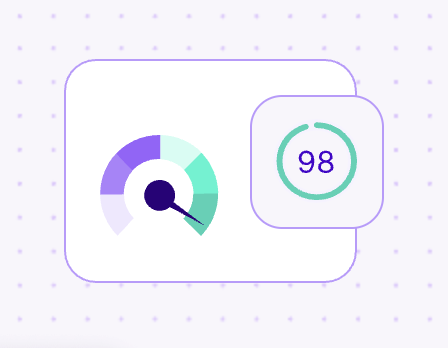
Boost performance using NitroPack
Learn how NitroPack can cut site load times and optimize your website performance.
Slow pages are often caused by content-heavy designs, large uncompressed files, or slow back-end support. To reduce delays for your users:
- Compress images to maintain an eye-catching design without sacrificing quality.
- Enable browser caching for return visitors.
- Minimize the number of scripts and stylesheets loading on each page.
Test your current speed with a tool like PageSpeed Insights to see where you stand.
Where your website is hosted matters for performance. When choosing a hosting provider, make sure their offerings and plans fit your business’s needs.
Tip 4: Make mobile the default experience
More than half of web traffic comes from mobile devices. A mobile-first approach is recommended when creating your website: design for the smallest screen first, then enhance the experience for larger screens. Use a responsive design, a simplified layout, and readable text, since mobile screens have limited space.
Take the David Shepherd Wildlife Foundation’s site as an example. In partnership with the marketing agency StrategiQ, this site was updated using a mobile-first approach, SEO techniques, and WP Engine’s platform to increase YoY growth in donations and campaigns by 25%.
WordPress themes with built-in mobile responsiveness can help you design a site with mobile-friendliness in mind.
Complicated forms and cramped buttons cost you leads and sales on mobile. When designing, make sure you use responsive elements to ensure you do not lose sales due to unreadable content.
To make sure your site is ready for mobile viewing, test your most important pages, contact forms, and checkout flows before publishing.
Tip 5: Write website copy that answers buyer questions fast
The purpose of your site and the audience it caters to should be clear. When creating copy for your website, focus on using language that drives visitors to act, rather than general claims about your business. This approach will guide the user to a specific action by highlighting the customer benefits, driving them to the next step in the buyer journey, and potentially lead to a sale.
A call to action, or CTA, is one of the most important messages on your site because it tells visitors what to do with the information you’ve given them. Including a CTA gives pages a real purpose on your website and helps customers identify the next step in the buying process.
Common CTAs use concise language and include actionable phrases such as “Call now,” “Learn more,” “Get a quote,” “Sign up,” and “Buy now.” When creating CTAs, place them in visible spots, like the top of the page, within blog posts, and near the end of service pages.
Once you have added a CTA, it’s important to test different versions to achieve the best user experience. To do this, you can perform A/B testing to try out different wording, color blocks, fonts, and page placement.
You can use tools like OptinMonster to create pop-ups on your website, and A/B test your CTAs. Plugins like ConvertPro can help you build compelling CTAs, and certain page builders like Elementor can help you design conversion-ready pages that prioritize placement for your CTAs.
Tip 6: Use trust signals where decisions happen
Building trust with potential customers is crucial, especially for small businesses that may not have widespread brand recognition. Adding trust signals to your website reassures visitors and encourages them to take the next step toward becoming a customer.
Half of consumers (50%) trust online reviews as much as personal recommendations. To gain user trust for your brand and website, small businesses can showcase real customer reviews on their homepages or service pages, add quotes from satisfied customers, or share short video testimonials. Plugins like Site Reviews can help you build your website, user trust, and increase revenue.
If you sell products online, trust badges, like SSL certificates or recognized secure payment logos, reassure customers about data privacy when they’re deciding whether to buy.
Tip 7: Create landing pages for your highest-value traffic sources
For small businesses, a landing page can drive growth by immediately highlighting the content a customer wants to see.
A landing page is a specific page that has been optimized for immediate action, which you can use as a destination for advertising efforts like online ads, social posts, or emails. Including CTAs at the top of a landing page can increase conversions by 304%. Users do not typically stay on these pages for very long, so it’s important to provide relevant information at the top of the page to drive conversions.
Tip 8: Protect your site so you do not lose revenue to downtime or risk
Almost nine in 10 online users (88%) won’t return to a site after a bad experience, making site performance and security a necessity, especially for small businesses.
Plugins, tools, security, and basic site functions need to be updated and monitored to keep your site running smoothly for your users, even during high-traffic moments.
WP Engine’s secure hosting provides regular backups, site monitoring, and around-the-clock support to reduce friction for teams managing day-to-day site operations, so they can focus on growing revenue rather than security risks. For other small-business sites built on WordPress, plugins like Wordfence and Sucuri Security offer an extra layer of protection for your customers and site.
Tip 9: Use SEO to attract visitors who are ready to buy
Search Engine Optimization (SEO) uses keywords, content, and site structure to improve a site’s ranking in search engine results.
SEO relies on specific keywords that target high-traffic topics. Be sure to optimize your site for keywords related to your business, products, and services to drive new traffic to your site. SEO also determines site rankings based on readability, structure, and high-traffic topics. Make sure to include headings that target relevant topics and format your website for readability.
To find and optimize for the right keywords, you can use plugins and tools like Ahrefs, Yoast SEO plugin, and All in One SEO (AIOSEO).
Writing and structuring your content with SEO in mind can increase its visibility to users who are actively searching for topics related to your business, helping you target users who are ready to buy.
Tip 10: Measure what is actually driving revenue
When trying to determine how your website drives revenue, it is important to track conversions, not just the number of visitors.
Tools like Google Analytics can help identify the pages that are performing well or poorly. Once you have identified the pages or content that are underperforming, you can update them to improve your site to better serve customers.
Regular reporting turns guesswork into a clear list of what to fix first. With WP Engine, reporting is easy. Every WP Engine hosting plan includes Site Reports, which you can automatically schedule to send a PDF to multiple users with detailed performance insights, SEO, and more.
Small website changes can create meaningful revenue gains
These tips will help you improve your website to increase revenue. However, the platform you host your website on is one of the most important factors affecting your site’s performance and its ability to generate revenue.
With WP Engine, hosting and scaling your small-business website is simple. With site monitoring, 24/7 support, and access to high-powered tools, small businesses can easily improve their websites while also having time to focus on other revenue-increasing tactics. Check out our plans or reach out to our team today!
- WP Engine is a proud member and supporter of the community of WordPress® users. The WordPress® trademark is the intellectual property of the WordPress Foundation. Uses of the WordPress® trademarks in this website are for identification purposes only and do not imply an endorsement by WordPress Foundation. WP Engine is not endorsed or owned by, or affiliated with, the WordPress Foundation. ↩︎