Get Started


Key Takeaways
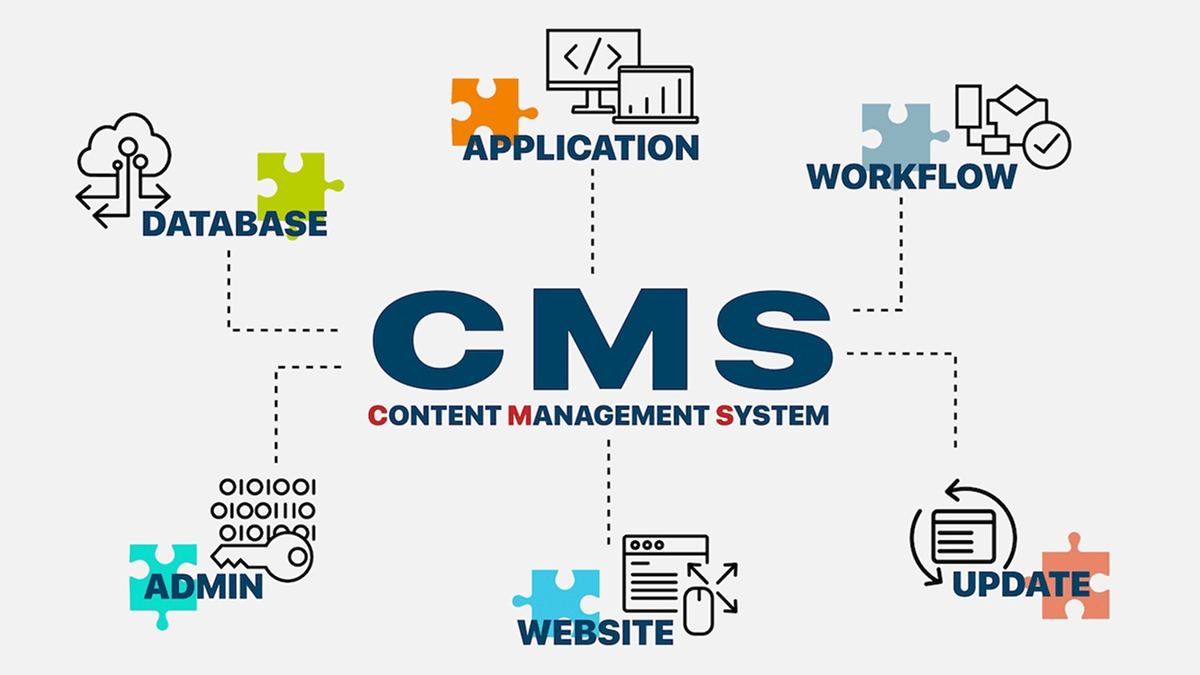
A Content Management System (CMS) streamlines website administration by allowing non-technical teams to create, publish, and manage digital content from a centralized, intuitive interface.
Core CMS features, such as role-based access permissions, global design templates, and built-in security, improve operational efficiency and ensure consistent site presentation across distributed teams.
While traditional software frameworks require technical teams to code applications from scratch, a CMS delivers immediate out-of-the-box publishing tools alongside an extensible architecture for custom development.
Businesses should assess their operational requirements and compare managed hosting providers that deliver automated maintenance, robust security monitoring, and dedicated technical support.
Creating and running a website requires a lot of different tasks. For example, you have to write and publish content, manage the design of your site, administer to your users, and so on. Finding a solution to help you achieve all of this can be tough.
A Content Management System (CMS) is the perfect solution. As the name suggests, the primary job of a CMS is to make content management easier. However, these platforms are also capable of helping you handle practically all aspects of your site from one intuitive interface.
In this post, we’ll look at what a CMS is in more detail. We’ll also discuss why you might choose to use one over other website publishing solutions. Let’s get started!
What is the purpose of a Content Management System?
As we touched on above, websites have a number of moving parts, all of which require management. Some of this involves managing the various users on your site, but the majority of your tasks will likely be related to content and design.
A CMS can help you with this work, since it provides a fully-featured platform for creating content, publishing it online, and managing it. All of this can be done through an interface that doesn’t require you to have much technical know-how.
At the same time, you’ll find that many CMSs provide a developer-friendly structure under the hood. This means that if you do have coding experience, you can easily mold them to meet your exact needs.
Importance of a Content Management System
For many website owners, a CMS is central to their daily workflows. As such, choosing the right platform is a primary consideration. We’ll discuss the specific features you’ll want to look for shortly, but for now let’s focus on the benefits of using a CMS in general.
For example, using a CMS can help you become more efficient. Many platforms offer design templates that can provide the right look for your site with little effort on your part. You’ll also get access to handy content creation tools, as well as features that help you handle Search Engine Optimization (SEO) and other vital tasks.
In our opinion, practically every website owner with an eye towards creating regular content will find a CMS incredibly valuable. That content might be a simple blog, or a content marketing strategy that’s part of a complex sales funnel.
In addition, if you’re dealing with non-technical users but require consistency in design and formatting, a quality CMS is almost a necessity. There are few solutions this helpful when managing teams of writers or other contributors.
Features of a Content Management System
When it comes to actually choosing a CMS, you’ll want to look for one that offers all the functionality you’ll need. What follows are the key features that any quality CMS should provide (although you may have additional requirements beyond these basics).
Multiple editors
As we’ve discussed, a CMS is ideal for content management. By extension, it’s also useful if you need multiple editors to process all that content. This is because you can permit as many users as you like to access your dashboard and work within it.
If you have multiple users on your site, you’ll also need access to user role and management features. These enable you to give each user a specific level of permissions, so no one can access functionality they don’t need to use.
Themes
Broadly speaking, a website can be broken down into two aspects – functionality and design. Many CMSs provide access to tools that can help you modify both.
Often, this includes themes or templates that help you change your site’s layout and style dramatically. As such, you can make your site look practically any way you want. Many themes also include lots of customization options out of the box, meaning that you can create a compelling design without any coding knowledge at all.
Security
No matter which CMS you use, user and website security are crucial considerations. Halting malicious intent should be one of your primary goals, especially if you collect sensitive information. As such, many CMSs work very hard to ensure the core code base is safe out of the box.
Ultimately, having a fundamentally stable and secure platform will benefit everyone on both the front and back ends. What’s more, a quality CMS will work with web hosts and developers to offer further security enhancements – which is good news for both you and your users.
Global changes
The final key feature of a CMS relates to how changes are made on a global scale. Quite often, custom templates are used to provide all your site’s pages with a similar structure. In the case of WordPress®1, for example, these templates contain reusable code that pulls assets and information from a central database.
Of course, this provides an inherent benefit to efficiency, as you’ll often only need to add data once for it to be used across your site. What’s more, further global options can be added if you have access to a dedicated WordPress developer.
CMS vs framework
If you spend any time working with software, you’ll often come across some confusing terms that on the surface seem like they mean the same thing. The word “framework” is often used to describe a CMS, for example, but there are inherent differences between the two.
As we’ve explained, a CMS is a platform that enables you to create online content. On the other hand, a framework can be two distinct (yet related) things. In a general sense, the term describes a code base on which any application can be built. Frameworks power many (arguably most) of the apps and sites you come across.
You may also hear certain CMS themes referred to as frameworks (such as Genesis). This is a theme that serves as a foundation, and is designed with the assumption that further development under the hood will be necessary. As such, there’s a coding structure in place that’s designed to be developer-friendly. However, this isn’t the same thing as a full CMS platform.
Choosing the right CMS
If you’ve decided to try a CMS for yourself, there are many different platforms to choose from. You’ll see from even a cursory glance at usage statistics that WordPress is far and away the most popular solution.
That’s because WordPress is inherently flexible enough to power everything from small blogs to enterprise-level sites. Of course, this doesn’t mean it’s going to be right in every situation.
There’s also a personal and subjective element to choosing a CMS, based on your budget and needs. Our advice is to weigh up all of your options and compare each CMS carefully before committing to one.
WordPress for small businesses: is it worth it? (And how to get started)
WordPress software is definitely worth it for most small businesses. Its SEO-friendly architecture, flexible site design, and optimization capabilities make it easy for you to build sites that fit your business and can grow.
Is WordPress a good choice for small businesses?
Don’t take our word for it. About 42% of all websites are built on WordPress software. WordPress works best when you plan your site around your business needs.
Here’s how that looks for common small business goals:
- Bookings: For businesses that provide bookings or appointments on their site, like doctors’ offices, salons, consultants, maintenance, and repair shops, include call-to-action buttons or CTAs that directly navigate customers to a scheduling system.
- eCommerce: Plugins turn any site into an online storefront by providing back end support and content management. Common features include product pages, payments, shipping options, and inventory.
- Lead capture: WordPress tracks page analytics that small business owners can view, but there are also plugins you can add to do so. Additionally, adding contact, quote request, or email sign-up forms to your pages can help capture leads.
Although WordPress is customizable, regular maintenance and upkeep are essential to keeping your site healthy.
How to get started
Using WordPress, you can build practically any type of website, no matter how simple or complex. Here is how you can get started.
Before you build a site on WordPress, you have to choose a theme. With thousands of themes available, choosing can feel overwhelming. Look for a lightweight theme that matches your business needs. Lightweight themes do not clutter your site, which helps it load faster and reduces maintenance.
A simple site structure is important when you’re getting started.
Start with pages customers look for the most: home, services or products, about, and contact. Build these pages to be easy to understand and to guide users to a specific action without overcomplicating the design.
Plugins should follow this pattern of keeping it simple. In general, use as few plugins as possible.
Plugins are very useful, but each one you add is something else to maintain, and too many can slow your site, cause conflicts, or create security gaps.
Hosting refers to where your site is stored on a web server and made accessible to the internet. There are a number of ways you can host your WordPress site. Managed hosting has a lot of advantages for a small business. For WordPress sites, managed hosting often includes updates, backups, and security monitoring, along with expert support, so you can focus on running your business.
Make sure to compare hosting providers and plans before you buy. Beyond cost, make sure to look at support, performance, and scalability.
As you build, focus on:
- Making your site simple to use and navigate.
- Keeping the design clear with a lightweight theme and only using the plugins you need.
- Ensuring every page supports a business goal, like booking appointments, selling products, or collecting leads.
Making the most of WordPress CMS
WP Engine is a leading hosting provider built only for WordPress, and we’re proud of that fact! Central to our approach is our award-winning customer support team, and our comprehensive Resource Center which is full of articles to help you run a WordPress website optimally.
To find out more, we encourage you to check out how managed hosting for WordPress can make running a website easier, and then take a look at our reasonably-priced plans!
- WP Engine is a proud member and supporter of the community of WordPress® users. The WordPress® trademark is the intellectual property of the WordPress Foundation. Uses of the WordPress® trademarks in this website are for identification purposes only and do not imply an endorsement by WordPress Foundation. WP Engine is not endorsed or owned by, or affiliated with, the WordPress Foundation. ↩︎