Get Started


Key Takeaways
WordPress 7.0 introduces foundational AI APIs, the AI Client and Connectors API, to standardize AI model interaction. This prepares WordPress for an AI-driven web by enabling plugins to integrate with various AI providers seamlessly and without being tied to a specific one.
The new architecture is provider-agnostic, allowing plugins to request specific AI capabilities rather than particular models. This means a plugin can ask for text generation or image analysis without needing to know which AI provider handles the request.
The AI plugin for WordPress serves as a practical demonstration of these new AI capabilities. It offers features like image generation, content summarization, and editorial review, showcasing what can be built on the new foundation.
AI features in the block editor include content resizing, summarization, translation, and type-ahead text suggestions. These experiments aim to streamline routine publishing tasks and enhance the editorial workflow for content creators.
WordPress is also building infrastructure for the “agentic web” with APIs like the Abilities API. While WordPress is increasingly ready, the broader ecosystem needs to catch up in exposing meaningful capabilities for AI agents.
Stable URLs, semantic HTML, and structured data remain crucial for effective AI agent interaction. These foundational web practices are more important than experimental agent-specific techniques for current AI systems.
Explore how the AI plugin, AI Connectors, and emerging APIs are preparing modern WordPress websites for an AI-driven and agentic era.
WordPress®1 7.0 introduced several foundational APIs designed to prepare WordPress for a web increasingly shaped by artificial intelligence.
Among the most significant are the AI Client and Connector API, which establish a standardized way for WordPress plugins to interact with AI models without being tied to a specific provider.
The AI Client is a provider-agnostic API built into WordPress. Instead of requiring every plugin to implement its own integration with OpenAI, Anthropic, Google, or another provider, developers can describe the capability they need and let WordPress route the request to a compatible model.
The Connectors API handles the other side of that relationship: connecting WordPress to external services and managing credentials. WordPress 7.0 introduced a new Settings → Connectors screen, with featured connectors currently available for Anthropic, Google, and OpenAI.
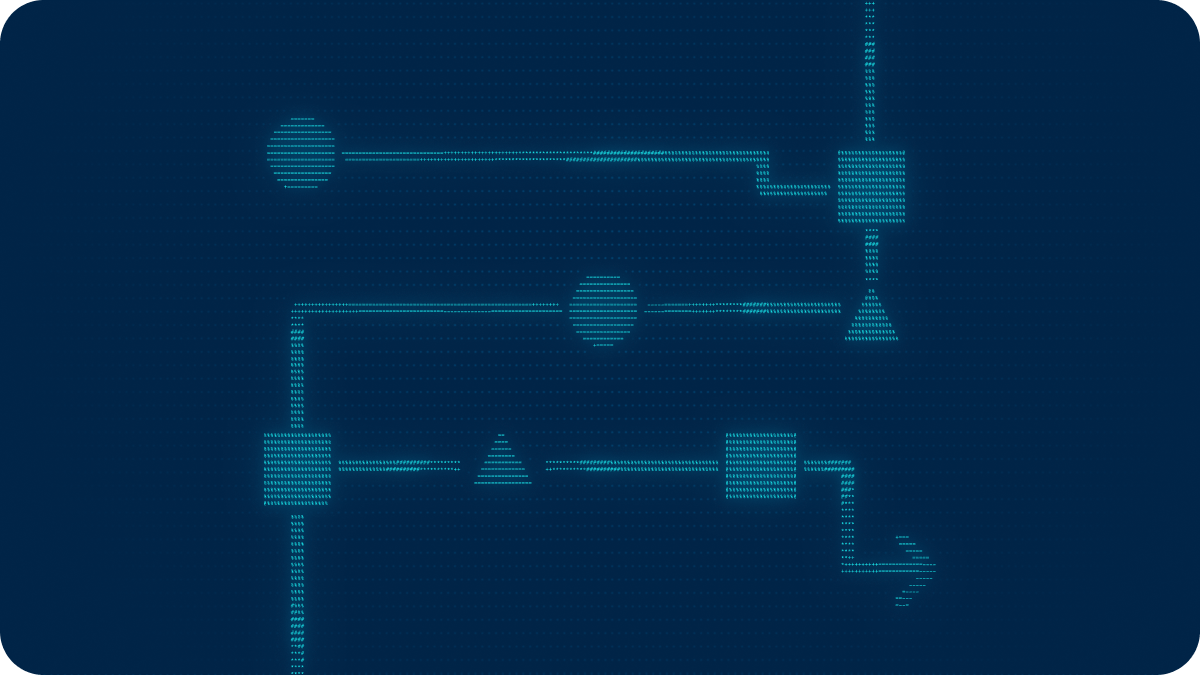
Together, they establish a relatively simple architecture:
AI provider → AI Connector → WordPress AI Client → AI-powered feature
This shift is part of a larger change happening across the web. As WP Engine explored in The Shape of the Web in 2026, AI is changing how websites are built, discovered, and consumed. WordPress 7.0 represents an important step toward that future.
While WordPress core provides the underlying infrastructure, it doesn’t bundle an AI provider. This is precisely where the AI plugin for WordPress comes in to power the Block Editor.
How the AI plugin works
The AI plugin for WordPress is a feature plugin developed and supported by a community of contributors through the Core AI team. It provides practical features and experiments for users while showing developers what can be built with the new AI capabilities.
As a feature plugin, it provides a way to test new capabilities at scale, similar to how Gutenberg explores editor features and Performance Lab explores performance features.
To use it, you need WordPress 7.0 or later and at least one compatible AI provider configured under Settings → Connectors. Once connected, features can use the AI Client to request the appropriate model capability.
That last part is important.
An experiment does not necessarily require OpenAI, Claude, Gemini, or any particular model. Instead, it requires a capability.
For example:
Requires an AI connector that includes support for text generation models.
This separation between provider and capability is one of the most interesting aspects of the architecture. A plugin can ask WordPress to generate text or analyze an image without necessarily needing to know which AI provider ultimately handles the request.
The AI plugin for WordPress gives us an early look at what we can build on top of that foundation.
Image generation and editing
Image Generation and Editing is the primary feature available in the plugin, with additional functionality offered through experiments.
Users can generate images from a prompt directly within WordPress and modify existing images with generative AI. This brings image creation into the publishing workflow without requiring a separate application and upload process.
Requires: An AI connector with support for image generation models.
It also demonstrates why the connector architecture matters. Text and image generation are different capabilities, and not every provider or model supports both. The feature can request an image-capable model rather than being built around a specific provider.
AI in the block editor
The larger collection of experiments focuses on the block editor itself.
Some generate content. Others analyze or transform what has already been written. Several address routine publishing tasks that normally happen after the writing is finished.
Together, they offer a preview of how AI might fit into the editorial workflow in WordPress.
Writing and editing
Content Resizing can shorten, expand, or rephrase selected block content. Instead of replacing the writing process, it works on existing content and gives the author another way to refine it.
Content Summarization analyzes long-form content and generates a more digestible overview, while Content Translation can translate paragraph and heading blocks into another language.
Type-ahead Text brings AI closer to the writing process by providing ghost-text suggestions while writing paragraphs in the block editor. Rather than explicitly asking AI to generate something, suggestions appear contextually as the author writes.
Each of these experiments requires an AI connector that supports text generation models.
Editorial review
Two of the more interesting experiments are Editorial Notes and Editorial Updates.
Editorial Notes analyzes a post block-by-block and provides suggestions across four areas: Accessibility, Readability, Grammar, and SEO.
Editorial Updates takes that concept a step further by automatically applying pending editorial notes to the content.
Together, they position AI as an editorial layer: Editorial Notes identify potential changes; Editorial Updates can make them. Both require an AI connector that supports text generation models.
Publishing and SEO
Several experiments address smaller tasks that are familiar to anyone who regularly publishes content in WordPress.
Title Generation suggests titles based on the content of a post, while Excerpt Generation creates suggestions for the WordPress excerpt.
Slug Generation suggests SEO-friendly permalink slugs based on the post title or content.
Meta Description Generation creates meta description suggestions and can integrate those suggestions with supported SEO plugins.
None of these features fundamentally changes how publishing works in WordPress. That may be precisely why they are useful experiments. They apply AI to repetitive, narrowly defined tasks where the desired outcome is relatively easy for the author to evaluate.
Each requires an AI connector that supports text generation models.
Classification and accessibility
Content Classification analyzes content and suggests relevant post tags and categories. For sites with established taxonomies, this could reduce some of the manual work involved in consistently organizing content.
Alt Text Generation uses AI vision models to generate accessible alternative text for images. Human review is especially important, as effective alt text depends on context and purpose.
Alt text generation is another good example of capability-based AI in practice. Unlike most editor experiments, it requires a connector that supports vision-based image analysis, not just text generation.
Why the architecture matters
It’s easy to look at the AI plugin for WordPress as a collection of AI features.
That misses the larger story.
Title generation, summaries, translations, and image generation already exist in countless AI products. None of those capabilities is particularly novel on its own.
What is more significant is the architecture underneath them.
WordPress 7.0 gives developers a provider-agnostic AI Client and a standardized system for connecting AI providers and managing their credentials. Plugins can build features against that common infrastructure rather than every developer creating a separate settings screen, storing another API key, and maintaining another proprietary AI integration.
The AI plugin is effectively a working demonstration of that architecture.
And because plugins request capabilities rather than hard-coding themselves to a particular provider, the model underneath a WordPress feature can change without requiring the feature itself to be rebuilt.
That is a much more durable foundation than simply adding an “Ask AI” button to WordPress.
WordPress and the agentic web
Another side of the AI conversation extends beyond WordPress consuming AI models.
AI agents increasingly need to read websites, understand their structure, retrieve information, and eventually perform actions on behalf of users.
WordPress is also developing foundational technologies for that world. The Abilities API, introduced in WordPress 6.9 and expanded in WordPress 7.0, provides a common interface for exposing WordPress functionality. The MCP Adapter can make those abilities available to external AI systems. But having the infrastructure does not mean the ecosystem is ready.
Miriam Schwab recently explored this topic at WordCamp US in her presentation, “The Agentic Web Is Coming – Is WordPress Ready?” She followed that presentation with an excellent article, “WordPress is ready for the agentic web, but our ecosystem isn’t.”
Her conclusion closely matches my own view of where things stand: WordPress is increasingly well positioned for an AI-driven and agentic web, but the broader ecosystem has not caught up yet.
WordPress core now provides much of the underlying framework, but relatively few plugins are exposing meaningful capabilities for agents to use. Schwab’s own testing also found that agents often ignored many of the emerging “agent-ready” techniques she implemented and instead worked from the existing HTML.
That reinforces an important point. Stable URLs, semantic HTML, structured data, accessible markup, and useful, well-organized content remain the foundation. Emerging ideas such as Markdown versions of pages, llms.txt, and agent-specific endpoints are worth exploring, but we should be careful not to mistake experimentation for established best practice.
The same restraint should apply to the AI plugin for WordPress.
These experiments demonstrate what is becoming possible. They should not be interpreted as evidence that WordPress has solved AI integration or that every WordPress product now needs an AI feature.
What we’re exploring next
For our Developer Relations team, that makes this an especially interesting time to explore WordPress and AI.
We’ll be digging deeper into how AI Connectors work, how plugins can build against the AI Client, and where these technologies fit into real WordPress development workflows.
We’ll also be sharing what we learn along the way.
That means practical examples of working with AI Connectors, building AI-powered WordPress features, and experimenting with emerging APIs that connect WordPress to the broader agentic web.
The goal is not to declare WordPress ready for an AI-native future. It is to understand what WordPress makes possible today, test what it can actually do, and help developers determine where it is useful.
A foundation for what comes next
The AI plugin for WordPress is worth exploring because its experiments already show what’s possible. But the more important development may be what sits underneath them.
With version 7.0, WordPress now has a standardized foundation for connecting AI providers and building features that use their capabilities.
The AI plugin gives us an early look at that foundation in practice.
What the WordPress ecosystem builds on top of it is where things get interesting.
- WP Engine is a proud member and supporter of the community of WordPress® users. The WordPress® trademarks are the intellectual property of the WordPress Foundation, and the Woo® and WooCommerce® trademarks are the intellectual property of WooCommerce, Inc. Uses of the WordPress®, Woo®, and WooCommerce® names in this website are for identification purposes only and do not imply an endorsement by WordPress Foundation or WooCommerce, Inc. WP Engine is not endorsed or owned by, or affiliated with, the WordPress Foundation or WooCommerce, Inc. ↩︎