Smart Plugin Manager: Automatic Updates
Plugin updates tested, backed up, protected
Keep your site secure without the hassle. Smart Plugin Manager automatically updates your plugins on your schedule, backs up your site, and visually verifies everything works—rolling back automatically if an update breaks.
What Smart Plugin Manager DeliversAutomatic plugin updates on your terms

Reduce security concerns and downtime
According to Patchwork, in 2025 alone, WordPress® vulnerabilities surged 42%, with 91% traced directly to plugins. Smart Plugin Manager safely automates plugin updates with pre-run backups, visual testing on live pages, and automatic rollbacks, preventing downtime and security risks.1
Automated plugin and theme updates
Pre-update backups
AI-enhanced visual regression testing with sensitivity controls
Verify updates on desktop, mobile, or both
Automatic rollback the moment a visual test fails
Optional maintenance mode

Run updates on your site's schedule
Not every plugin deserves the same treatment—an SEO plugin and a payment gateway carry very different risks. Smart Plugin Manager gives you the control, plugin by plugin: what updates automatically and when the run happens.
Per-plugin include or exclude
Daily, weekly, or monthly cadences
6-hour off-peak update windows and day-of-week selection
Staging-first testing option
Custom, private, commercial, and multisite plugin support
One-off and ad-hoc runs
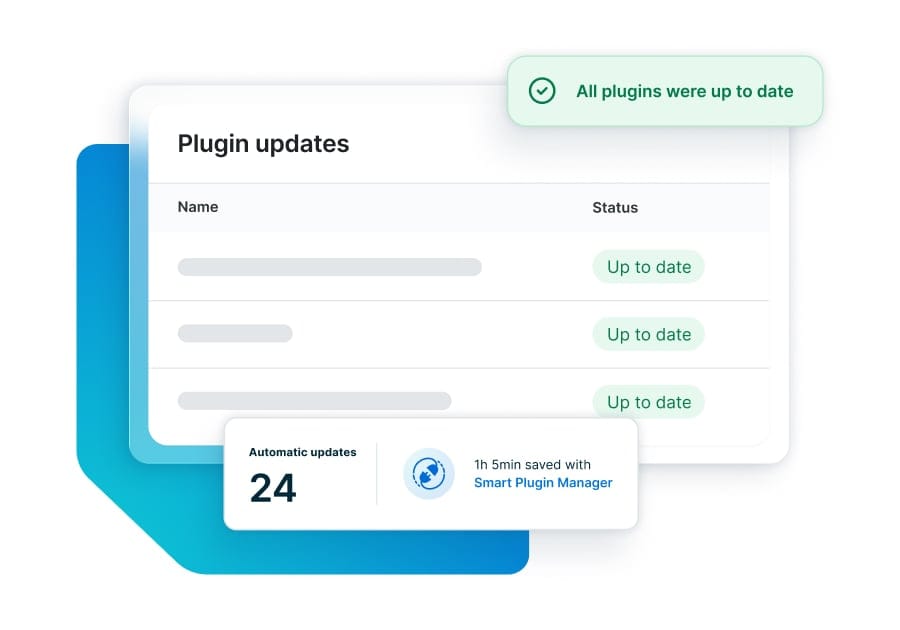
Offload costly, time-consuming maintenance tasks
Set your preferences once and get the hours back. Smart Plugin Manager handles backups, updates, verification, rollbacks, and cache clearing end-to-end—across as many sites, plugins, and themes as you manage, from one dashboard.
Fully automated recurring runs
Automatic cache clearing
Reports and update summaries
One dashboard for every site on your account
Expert support if something needs troubleshooting

Save billable hours spent maintaining client sites
Streamline site management at scale with reliable plugin and theme updates that you can easily resell in your client maintenance plans without the risk to your brand reputation if any updates cause issues.
Automated updates, backups, and rollbacks at scale
Reseller discounts—As low as $2 per site
Shareable, downloadable update reports
Configurable notification settings

Your updates should land as fast as the rest of your site
Most update tools only tell you whether your site still loads. Smart Plugin Manager verifies every update against the same caching layer, edge network, and performance stack that serves your traffic.
Verified on the infrastructure your site actually runs on
Automatic cache clearing after every update
Off-peak windows, away from peak traffic
The MechanismHow Smart Plugin Manager works
Who We ServeBuilt for teams that can't afford a broken site

eCommerce
Choose exactly which URLs get visually tested, so checkout, cart, products, and every other revenue-critical page is verified before an update is allowed to stand—and reverted automatically if it isn’t.

Agencies & resellers
Manage updates for every client site from one dashboard, with shareable reports as proof of service and reseller pricing as low as $2 per site—turning a cost center into a resellable, managed service.

Enterprise & multi-site portfolios
Protect your brand reputation with consistent update policy, audit-ready reporting, and per-plugin governance across a whole portfolio—including multisite, private, and Git-based plugins—without adding maintenance headcount.

Smart Plugin Manager: Get Peace of Mind with Automated Plugin Updates
Protect your site from vulnerabilities caused by out-of-date plugins.


RocketLevel Utilizes Smart Plugin Manager to Automate Updates
Reduce the amount of hours spent on tedious (but necessary) plugin maintenance, enabling developers to refocus on core business projects.

How to Check Plugins and Themes for Updates
Find out more about the importance of plugin and theme updates.

The Ultimate Guide to Fixing & Preventing WordPress Plugin Conflicts
Proactively manage plugin updates and compatibility to prevent conflicts and security vulnerabilities.

Built for Developers: A Technical Deep Dive into WP Engine’s Tools and Workflows
Move from ad-hoc workflows to an integrated system allowing teams to build, test, and deploy with total confidence.


Travel Website Becomes Top Traffic Destination for Frequent Fliers
Reduce disruptions from plugin conflicts and unsupported themes across more than 100 WordPress installs.


Transforming an Agency Business Model for Growth Without Growing Pains
MyWork uses its partnership with WP Engine to scale operations and transform its business model from cheap and basic to reliable and responsive.
Who it’s Built ForThe right controls for every role

Developers
Per-plugin opt-in and opt-out, staging-first testing, and support for custom, private, and Git-based plugins—so you can automate the low-risk work and keep a human in the loop everywhere it matters.
Agency account/portfolio managers
Set your cadence once and let updates run outside of your peak traffic windows, verified and reported. Your sites stay secure and current while your team works on things that actually move the business forward.

Site owners & business leaders
Already included on some plans and a low-cost add-on on others. No wasted developer hours, and no waking up to a site that broke overnight.
Smart Plugin Manager